
Everything XiPlayer does.
A cross-platform media player for the people who still keep their music and videos on their own device.
Video playback
MP4, MKV, WEBM, MOV, AVI - handled. Full-quality playback, fullscreen by default, with controls only when you want them.
Audio playback
MP3, FLAC, WAV, AAC, OGG, OPUS, M4A. Big tappable list, instant search, and the song you were on always one tap away.
Folder browsing
See your media the way it lives on disk. File counts, folder art, and one-tap drill-down. No forced library structure.
Universal search
Type in the search bar to filter videos, audio, or folders. As-you-type results, with hundreds of tracks handled smoothly.
Re-index storage
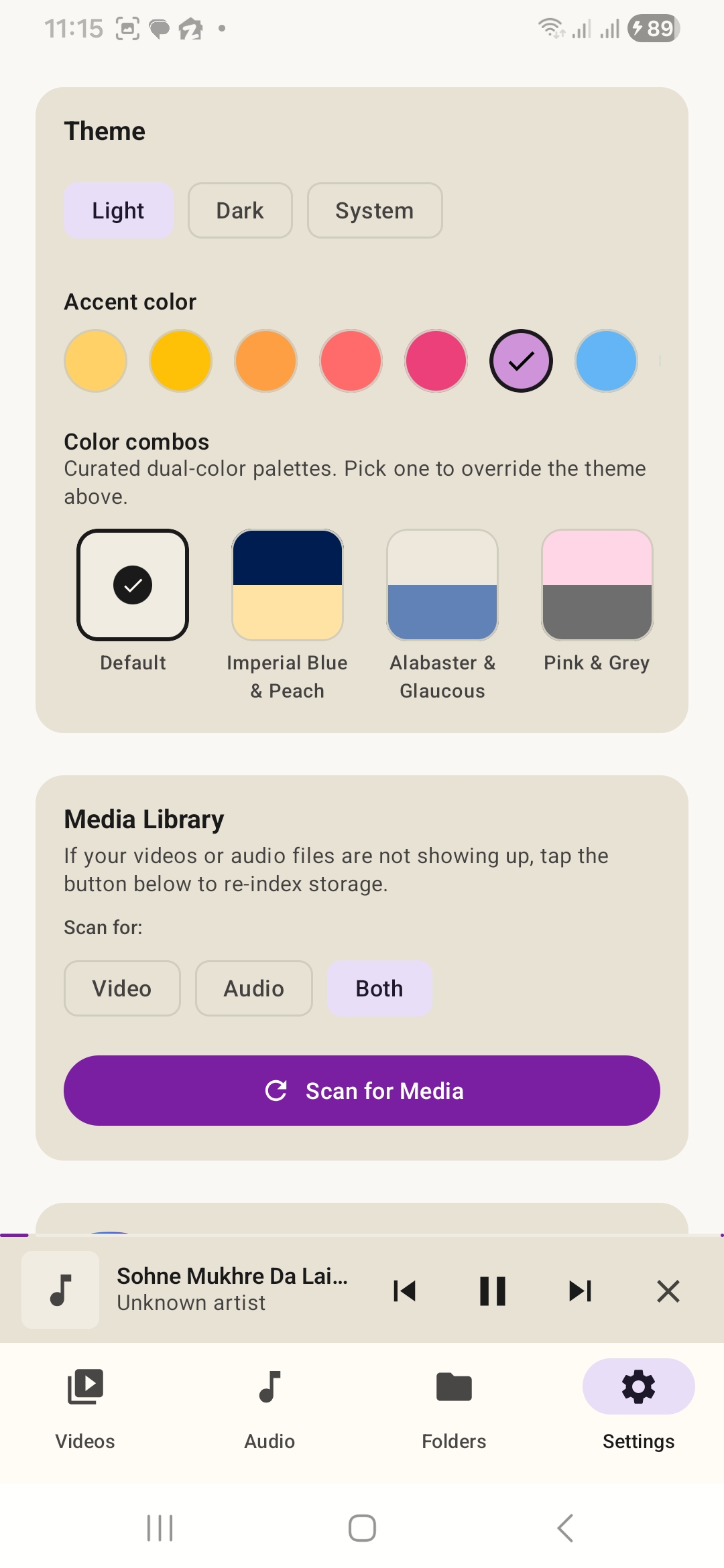
Pick Video, Audio, or Both, and tap “Scan for Media”. New files appear in seconds without a restart.
Mini player
Keep listening while you browse. Pause, skip, dismiss - all from a slim player pinned to the bottom of every screen.
10s skip controls
Jump back or forward 10 seconds with a single tap. Perfect for catching the line you missed or skipping the dull bit.
Playback speed
Slow it down to study, speed it up to skim. Tap the speed icon to choose anywhere from 0.5x to 2x.
Subtitles
Subtitle support out of the box for everything that comes with one. Toggle on or off from the player toolbar.
Picture-in-Picture
Pop the video into a floating window so you can keep watching while you do other things on your device.
Cast support
Send what you're watching to a TV or compatible display when you want the big-screen experience.
Screen lock
Lock the player so taps and gestures are ignored - perfect for kids, pockets, and bumpy car rides.
A desktop library built for real collections.
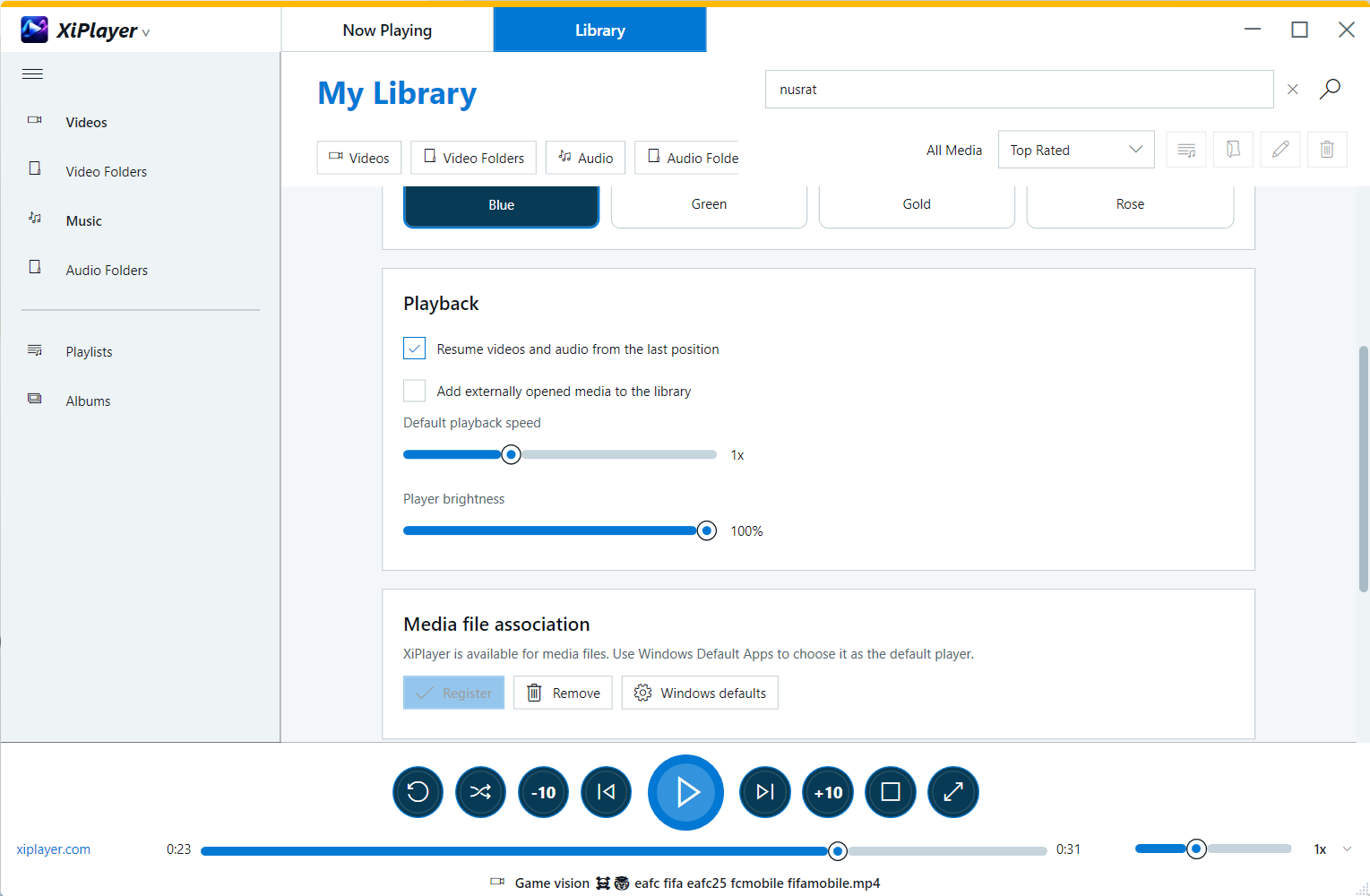
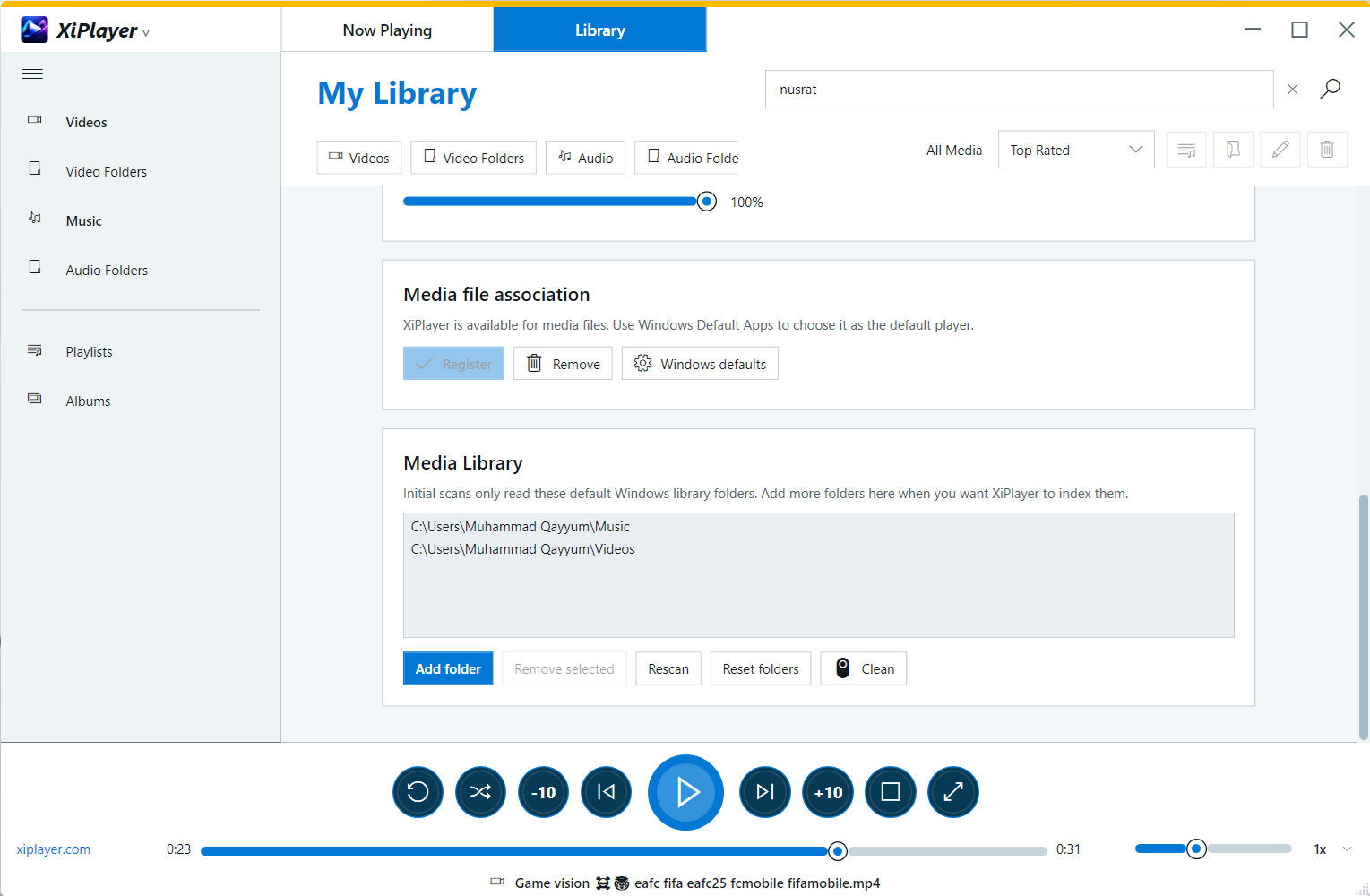
XiPlayer for Windows gives large libraries room to breathe, with a familiar sidebar, quick filters, ratings, playlists, albums, and settings designed for the PC.
- Choose custom video and audio library locations
- Associate supported media formats with XiPlayer
- Resume videos and audio from the last position
- Four desktop themes and four accent colors

Pick a vibe that fits.
Three theme modes, seven accent colors, and four hand-tuned color combos to override the whole palette.
Theme modes
- Light - warm cream backdrop with playful accents
- Dark - easy on the eyes for late-night listening
- System - follow whatever your device is set to
Color combos
Curated dual-color palettes that override theme defaults. Switch between Default, Imperial Blue & Peach, Alabaster & Glaucous, and Pink & Grey with one tap.
Folders, the way they should be.
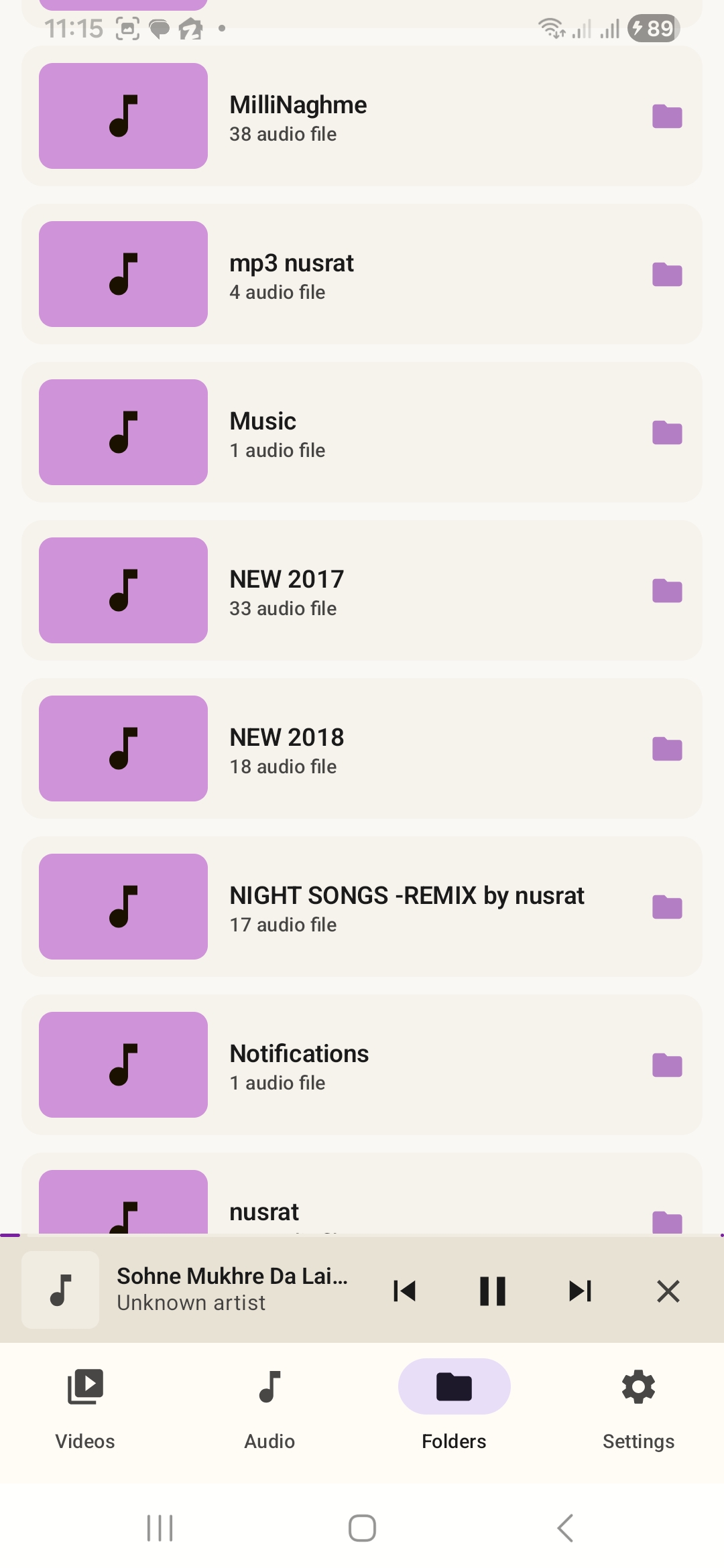
XiPlayer doesn't try to second-guess your file structure. Each folder shows up with its title, file count, and a quick way in. Open it, hit play, done.
- One row per folder with file count
- Audio folders show music note art
- Video folders show thumbnails of contents
- Tap-and-go navigation, no extra menus
Quick answers.
Is XiPlayer free?
Yes. XiPlayer is free to download and use. There are no premium tiers, paywalled features, or ads.
Does XiPlayer work offline?
Completely. XiPlayer plays files stored on your device. It does not require an internet connection to browse, search, or play your library.
Which formats does it support?
The most common video and audio formats including MP4, MKV, WEBM, MOV, AVI, MP3, FLAC, WAV, AAC, OGG, OPUS, and M4A - plus most others your device can decode.
Where are my files stored?
Right where you left them. XiPlayer reads from your device's storage and never copies, uploads, or alters your files.
Why don't I see my new files?
Tap Scan for Media in Settings - pick Video, Audio, or Both, and your library will refresh in a few seconds.